

Paying your credit card bills on time is crucial to maintaining a healthy credit score and avoiding unnecessary penalties. DBS Bank makes it easy and convenient for you to settle your credit card bills from anywhere, anytime. With several payment options available, you can choose the method that best suits your needs.
Let’s explore the simple ways you can pay your DBS Bank credit card bills efficiently and on time.
1. Pay Via DBS Card+ Mobile App (The Easiest Option)
The DBS Card+ mobile app is one of the most seamless ways to manage your credit card bills. With just a few taps, you can settle your dues directly from your mobile device.
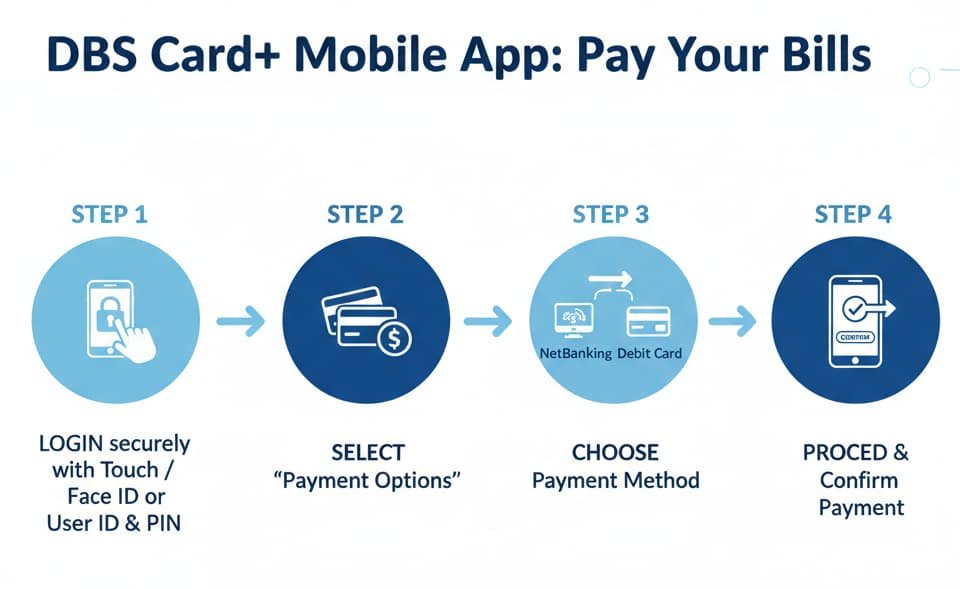
Steps to Pay via DBS Card+ Mobile App:
- Login to the DBS Card+ mobile app.
- Tap on Pay & Transfer on the homepage.
- Select Card Payment and choose from the options:
- Minimum Amount Due
- Total Amount Due
- Or enter any specific amount you’d like to pay.
- Proceed with the payment via NetBanking or your debit card.
If you haven’t downloaded the DBS Card+ mobile app yet, do it now! The app provides an intuitive interface that ensures you can pay bills easily and quickly.
2. Pay via the digibank App
DBS also offers the digibank app for a quick and secure way to pay your credit card bills. With digibank, you can add a new biller and manage all your bill payments under one roof.
Steps to Pay via digibank App:
- Login to the digibank app.
- Click on Pay Bills and select Pay a New Bill.
- Choose Credit Cards from the options and select your Biller.
- Enter your bill details and confirm your payment.
3. Pay Via BillDesk
BillDesk allows you to pay your DBS credit card bills through over 50+ participating banks. You can use DBS Card+ app, NetBanking, or a debit card for these payments.
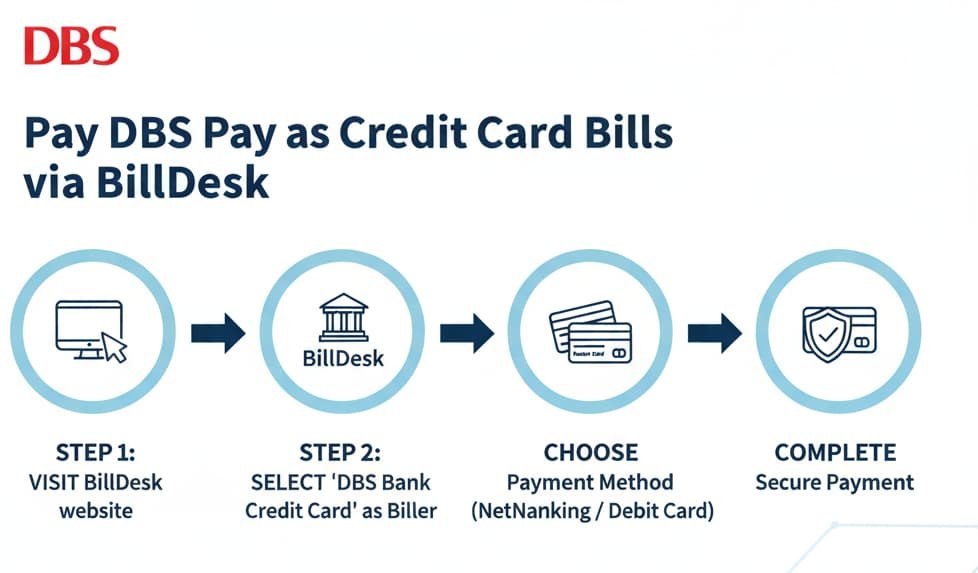
How to Pay via BillDesk:
- Select BillDesk as your preferred payment platform.
- Choose from the available payment methods, including NetBanking or debit cards for a secure transaction.
4. Pay via NEFT and IMPS
If you prefer making payments through your bank’s NEFT or IMPS service, you can easily add DBS Credit Card as a beneficiary. Just follow the steps below:
Steps to Pay via NEFT and IMPS:
- Add your DBS Credit Card number as a beneficiary in your bank account.
- Use the following details for payment:
- Account Number: 16-digit DBS Credit Card Number
- Bank Name: DBS Bank India Limited
- Payment Account Type: Credit Card
- IFSC Code: DBSS0IN0811
Once added, you can make payments directly from your bank’s NEFT or IMPS service.
5. Pay Via DBS Bank Branches
If you prefer to pay your bill in person, you can visit any of the 30+ DBS Bank branches across India. Walk into your nearest branch and make your credit card bill payment directly.
How to Pay at DBS Bank Branch:
- Visit any DBS Bank branch.
- Make your payment at the counter for a smooth and secure transaction.
Important Update: Third-Party Payment Platforms Unavailable
Currently, GPay, PhonePe, Paytm, and other third-party payment platforms are unavailable for DBS credit card payments. To ensure timely payments, please use one of the available methods mentioned above, such as the DBS Card+ app, digibank app, BillDesk, or NEFT/IMPS.
Conclusion
DBS Bank offers multiple secure and easy ways to pay your credit card bills—whether you’re on the go or prefer managing payments from home. From mobile apps to branch visits, there’s a payment option for everyone. Choose the method that suits your lifestyle and ensure your bills are paid on time, effortlessly.
Remember, timely bill payments are essential to maintaining your credit score and avoiding unnecessary charges. Make sure to pay your credit card bills using one of the easy options outlined above.